AI
Overview
Monospace exposes AI in two ways, both built on the same foundation:
- The Assistant — an AI chat panel inside the Studio.
- The MCP server — a Model Context Protocol endpoint for external AI agents and tools.
Both work through the same set of tools and run under the permissions of whoever — or whatever — is using them. Neither can do anything the acting user or API key is not already allowed to do.
What the AI Can Do
Through either surface, the AI works with your workspace using the same capabilities:
- Read the schema — collections, fields, and relations.
- Query items, using the same filtering the API supports.
- Create, update, and delete items.
- Read and change the schema.
- List the workspace's data sources.
Every action is checked against the acting identity's permissions: item operations follow collection permissions, reading or changing the schema requires the data-model entitlement, and listing data sources requires both dataModel:read and dataSource:read. The AI cannot do more than its user or key already can.
The Assistant
The Assistant is an AI chat panel in the Studio. Ask it to find, summarize, or change data in natural language; it keeps context within a conversation, and you can start a new chat at any time. Because it runs as you, it sees and changes only what your roles allow.
Configuring the Assistant
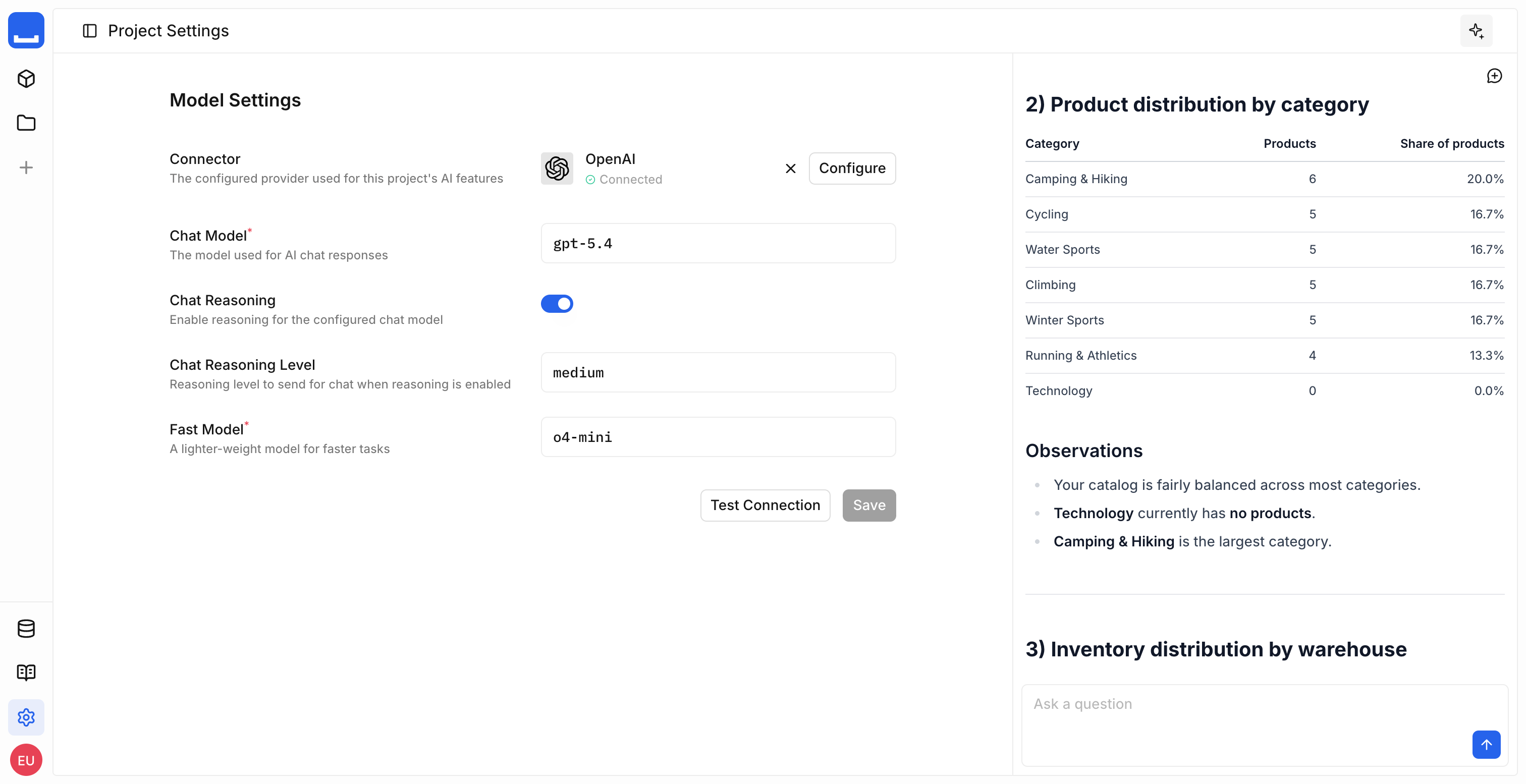
Configure the Assistant per workspace under Workspace Settings > General > AI. Connect a provider with its API key, then choose the models the Assistant uses.
| Setting | Controls |
|---|---|
| Connector | The model provider. Monospace supports OpenAI. |
| API key | The provider credential. It is encrypted at rest and never returned by the API. |
| Chat model | The model that answers in the chat panel. |
| Fast model | The model used for lighter supporting tasks. |
| Reasoning | Whether the chat model reasons before answering, and at which level. |
Test Connection confirms the configuration works. It checks that the credential reaches the provider, then checks the entered chat and fast models against the saved connector settings.
Configuring the provider requires the ai:admin entitlement; using the Assistant requires ai:access.
Tool Approval
Every Assistant tool has a risk level. The Studio asks for approval before destructive calls; read-only and mutating calls run directly.
| Risk | Tools |
|---|---|
| Read-only | list_items, read_schema, read_data_sources |
| Mutating | create_items, update_item |
| Destructive | delete_item, mutate_schema |
The Assistant runs read-only and mutating tools directly, and stops for a destructive one. When it stops, it names the tool and the change it intends to make, and waits — approve it to run, or deny it to return control without touching your data.
The MCP Server
The MCP server exposes the same capabilities to external AI agents and tools over the Model Context Protocol. Each workspace has its own endpoint, and agents authenticate with an API key — so an agent acts with exactly that key's permissions. Using it requires the ai:mcp entitlement.
See Configure MCP to connect an agent.
See Also
- Configure MCP — Connect an external AI agent over the Model Context Protocol
- Access Control — How roles, policies, and entitlements govern what the AI can do
- Permissions Reference — The
ai:access,ai:admin, andai:mcpentitlements