Access Control
Overview
Access control in Monospace determines what users can see and do within a workspace. It is built on three core building blocks: Roles, Policies, and Entitlements.
Roles
A role is a named grouping that users are assigned to. Roles themselves do not define permissions — instead, they act as containers for one or more policies.
- A user can be assigned to multiple roles
- A role can have multiple policies attached
- Roles support hierarchy — a role can have a parent role, and will inherit all policies from its ancestors
For example, an "Editor" role might have a parent "Contributor" role. A user assigned to "Editor" would receive permissions from both the Editor and Contributor policies.
Policies
A policy is where permissions are actually defined. Each policy operates in one of two modes:
Admin — Grants unrestricted access to all workspace settings, data, and administrative functions. No further configuration is needed.
Rules — Fine-grained permission rules across two areas: Collection Permissions and Entitlements.
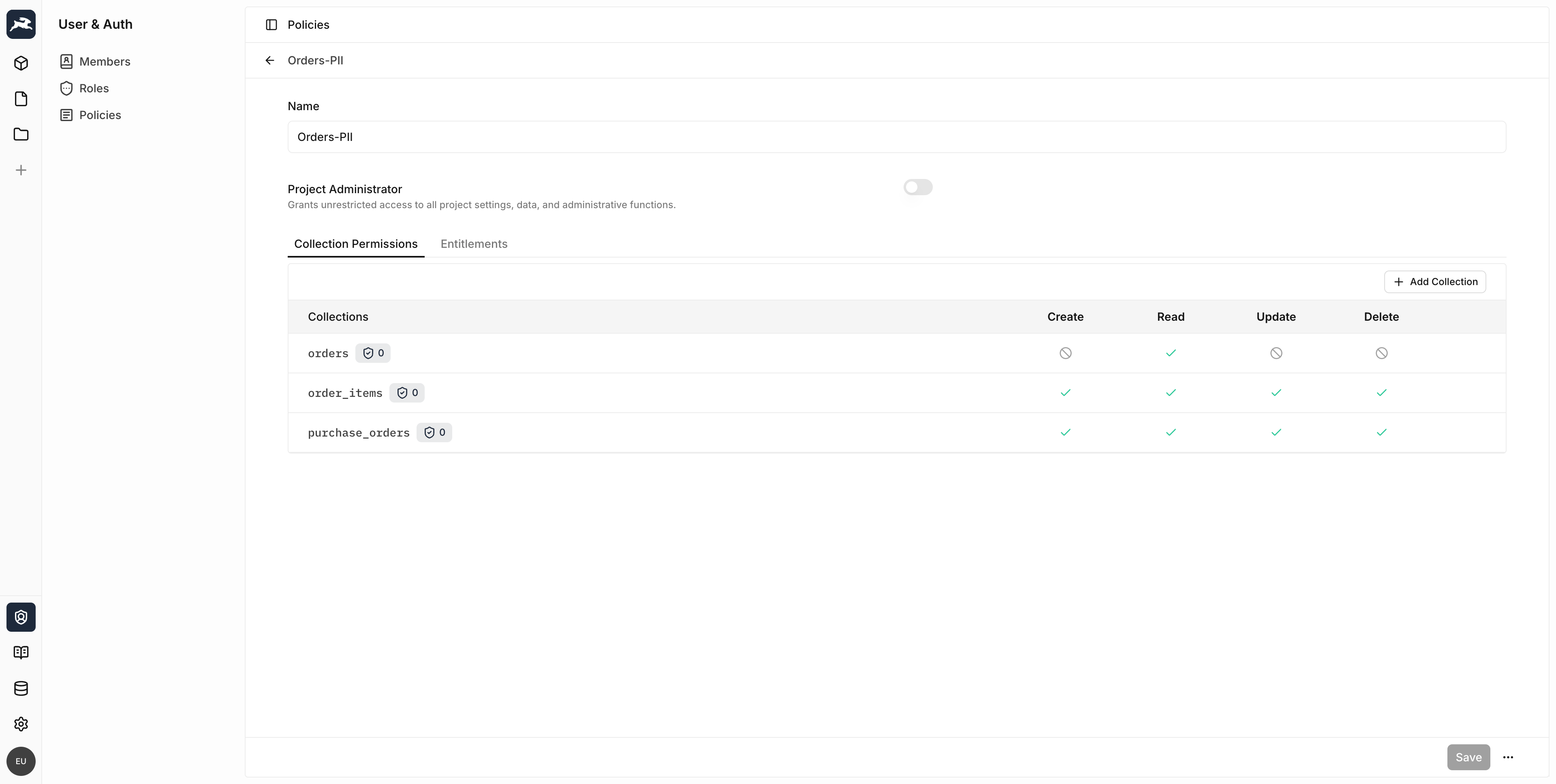
Collection Permissions
Collection permissions control what a user can do with the data in your collections. For each collection, you can configure access for four CRUD actions:
| Action | Description |
|---|---|
| Create | Insert new items into the collection |
| Read | View items in the collection |
| Update | Modify existing items in the collection |
| Delete | Remove items from the collection |
Each action can be set to one of three states:
- Full Access — The user can perform the action on all items
- No Access — The user cannot perform the action at all
- Custom Access — The user can perform the action only on items matching a filter condition
Item Permissions
When custom access is configured, you define an item filter that controls which items the user can access. For example, you could allow a user to only update orders that have already been shipped.
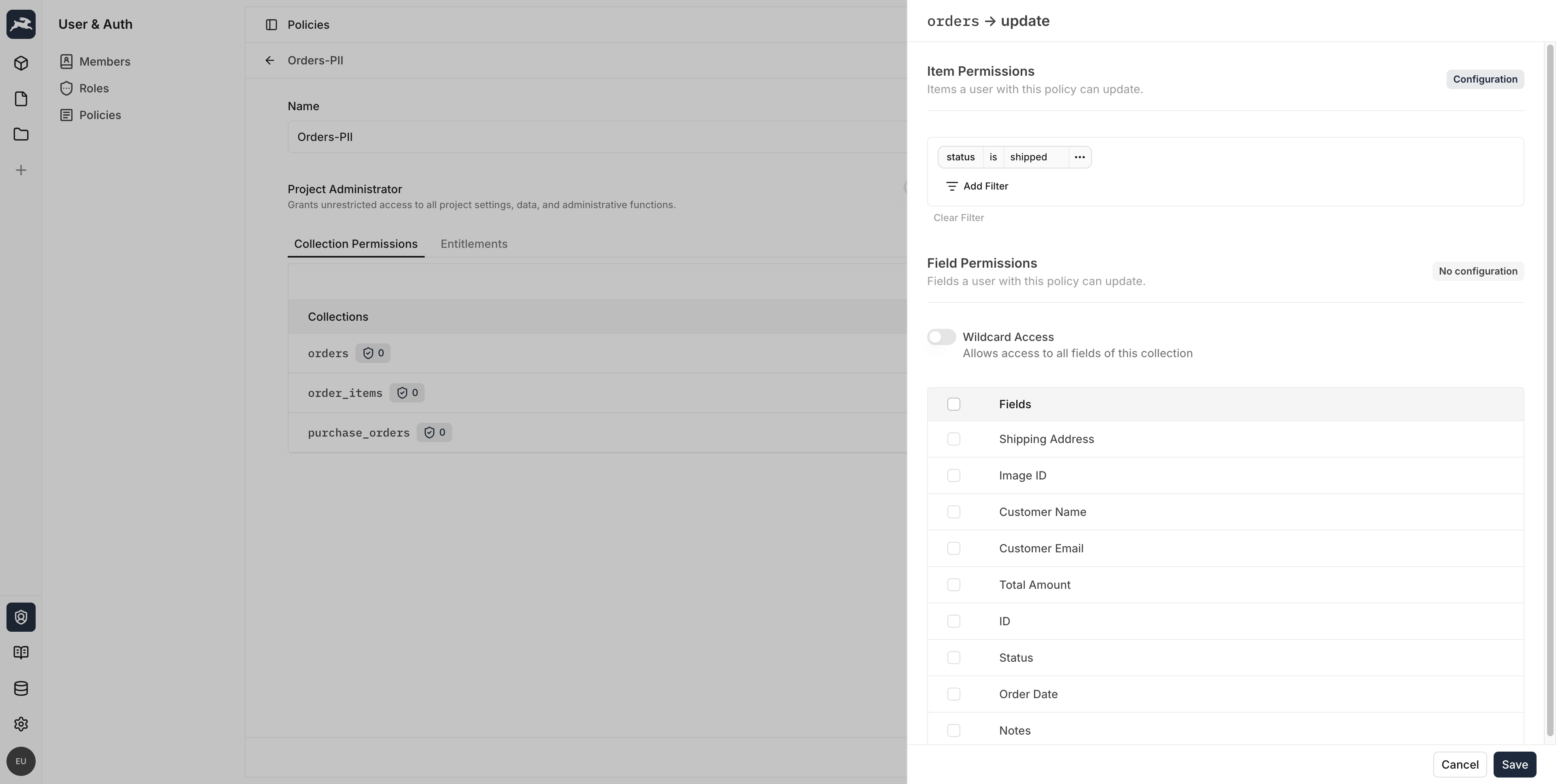
Field Permissions
Within each action, you can further restrict which fields a user can access:
- Wildcard Access — The user can access all fields in the collection, including fields added in the future
- Specific Fields — Only the selected fields are accessible
Field-level access can optionally follow the same filter as the item permissions, or have its own custom filter.
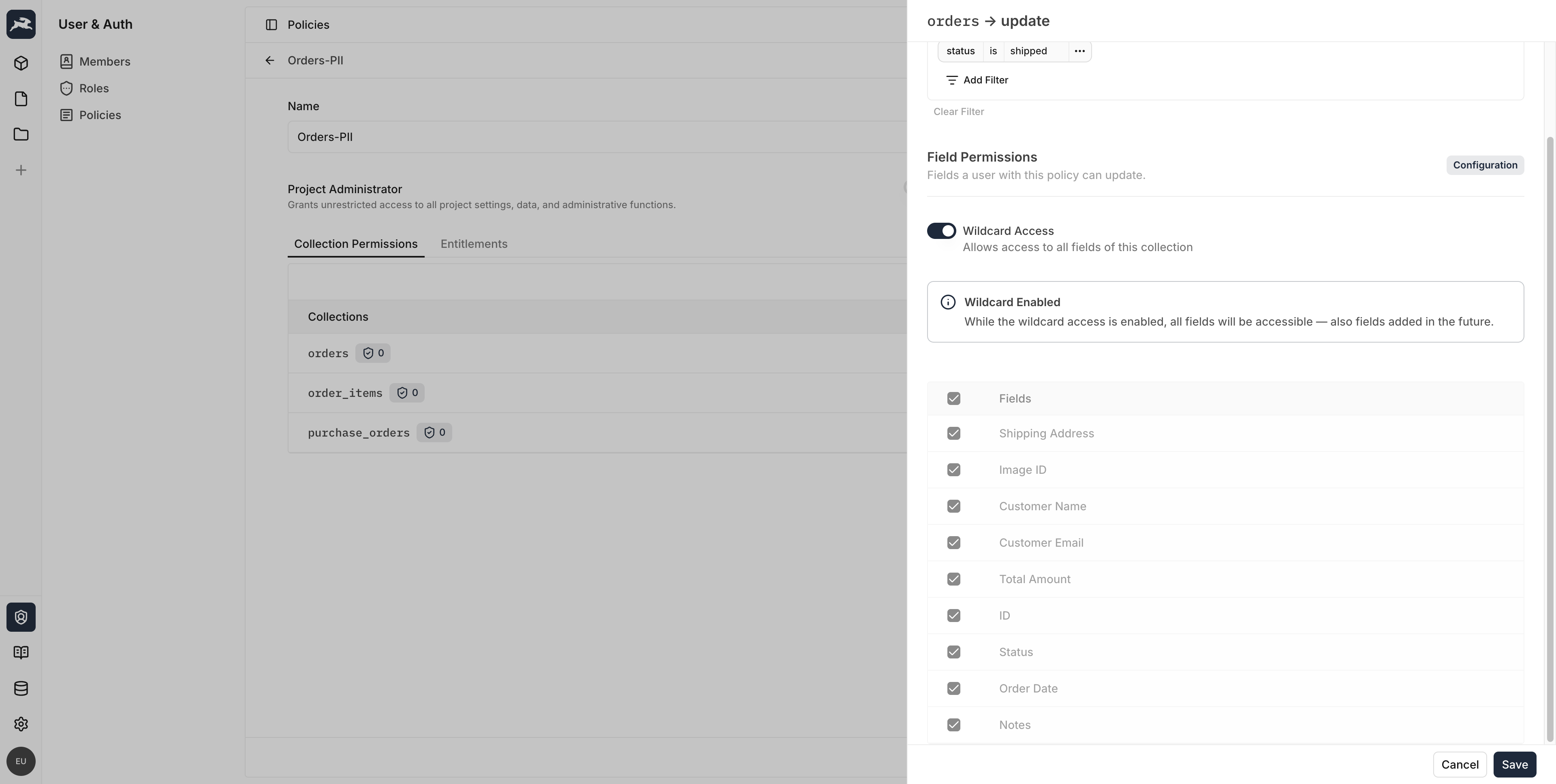
Validation Rules
Policies can also include validation rules that enforce data constraints on create and update operations. These rules act as server-side validation filters that items must satisfy before being saved.

Entitlements
Entitlements are system-level permissions that control access to administration features — managing roles, policies, data sources, members, and similar — at both the workspace and organization scope. Some actions can be scoped to a specific resource, such as the ability to assign only certain roles. Workspace entitlements are assigned granularly through policies; organization entitlements are currently conferred by organization-administrator status rather than assigned individually.
Entitlements are separate from collection permissions and independent of one another. An entitlement never controls the data inside your collections — that is governed by collection permissions — and no entitlement is a prerequisite for another. For example, the Data Source → Read entitlement lets a user view a data source's connection configuration; it does not affect whether they can read data in that source's collections.
For the complete catalog of entitlements and what each one controls, see the Permissions Reference.
How Permissions Are Evaluated
When a user makes a request, Monospace resolves their effective permissions by:
- Collecting all roles the user is assigned to
- Walking the role hierarchy to include all ancestor roles
- Aggregating every policy across those roles
- Merging the rules — permissions are additive (a permission granted by any policy is granted to the user)
If any policy grants admin access, the user has full access. Otherwise, the union of all collection permissions, field permissions, and entitlements determines what the user can do.