Use Cases
Overview
Monospace operates as a unified data layer across your organization's systems. These use cases represent the most common ways teams adopt Monospace - from connecting a single database to governing data access across dozens of systems.
Most teams start simple and grow. Connect a database, get an instant API. Then layer in cross-system integration, multi-tenancy, or an AI access layer as requirements evolve.
Instant API Layer
Connect an existing database and get a full REST API in minutes. Monospace introspects your schema, maps collections and fields, and exposes a governed API with authentication, filtering, and field selection built in.
This is the most common starting point. No code generation, no ORM configuration, no boilerplate.
Common scenarios:
- Replacing hand-rolled CRUD APIs with a governed, consistent layer
- Exposing legacy databases to modern frontends or mobile apps
- Prototyping new applications against existing production data
Enterprise Backend-as-a-Service
Monospace replaces custom backend infrastructure for operational data management. Instead of building and maintaining bespoke APIs for each domain, teams connect their databases and manage data through a single governed platform.

Examples of operational domains managed through Monospace:
| Domain | What it manages |
|---|---|
| Product & Inventory | Catalogs, stock levels, warehouse locations, variant configurations |
| Order & Fulfilment | Order lifecycles, shipment tracking, returns processing |
| Asset & Resource Management | Equipment registers, maintenance schedules, resource allocation |
| Supply Chain | Supplier records, procurement workflows, logistics tracking |
| Technical Configuration | Device configs, system parameters, feature flags |
The value compounds as more domains connect. Cross-domain queries - like checking inventory levels from within an order workflow - work without custom integration code.
Multi-Database Integration
Monospace connects multiple physical databases into a single API layer. Query data from your orders database alongside your inventory database without ETL pipelines or data replication.
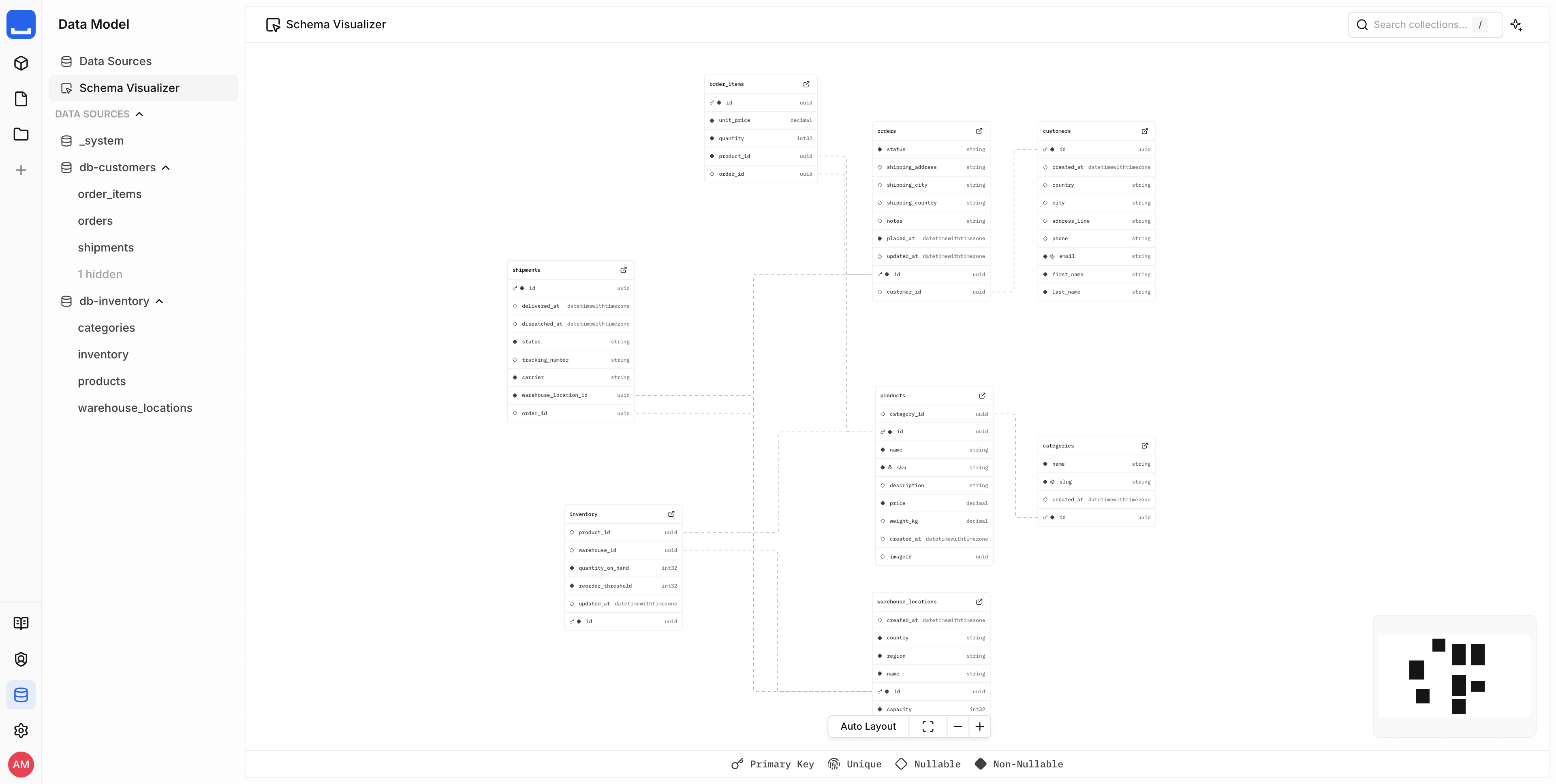
Cross-database relationships link collections across different connectors. A customer record in one database can relate to order history in another, and both resolve in a single API call.
Common scenarios:
- Bridging order/payments data with product inventory across separate databases
- Unifying customer data from multiple systems into a single view (Customer 360)
- Consolidating reporting across databases that were never designed to work together
Multi-Tenancy & Client-Agency Models
A single Monospace instance supports multiple workspaces. Each workspace has its own access controls, schema configuration, and connected data sources - making it a natural fit for multi-tenant and client-agency setups.
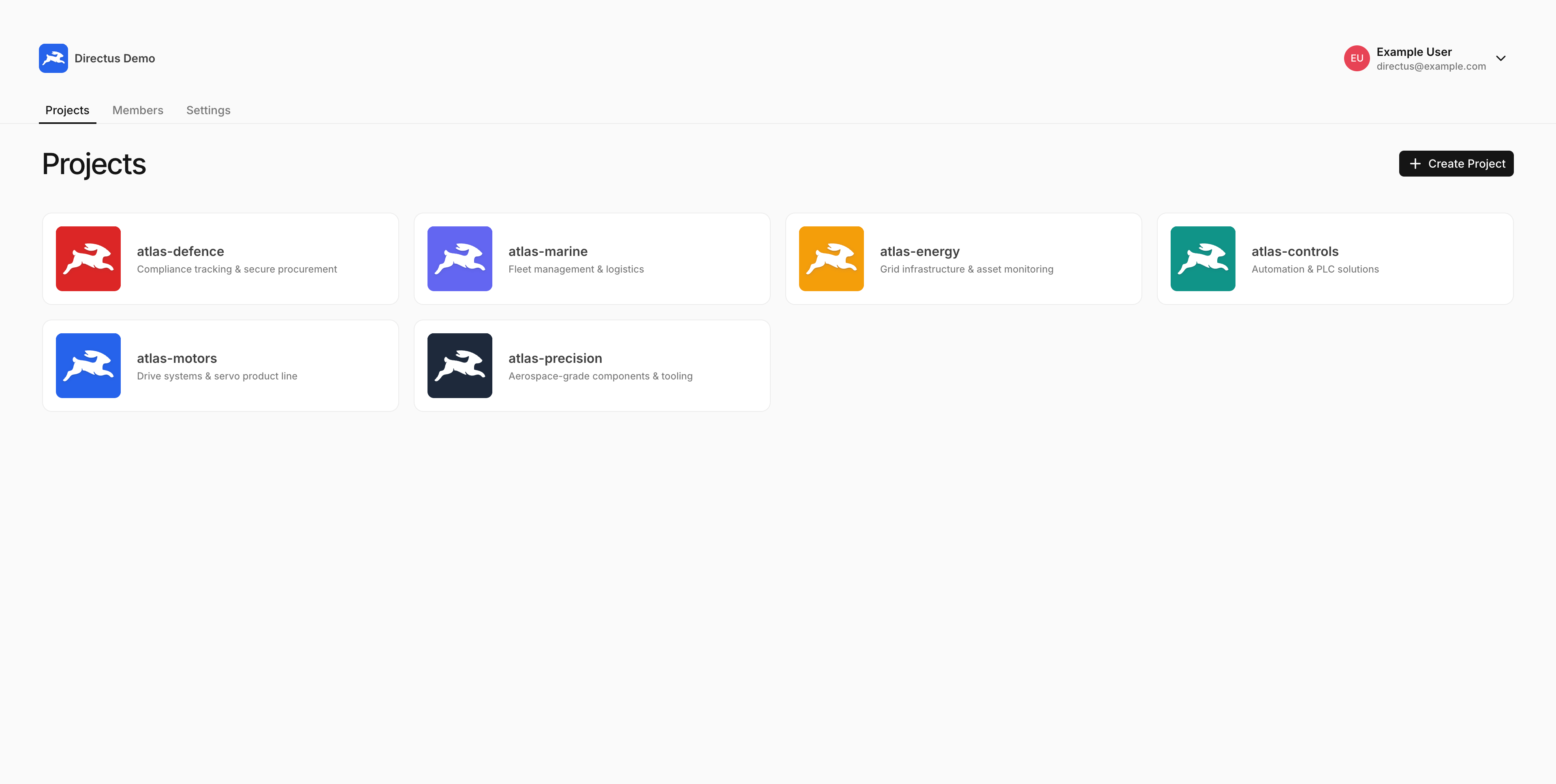
Workspace-per-tenant - each client, brand, or business unit gets its own workspace. Workspaces can connect to the same shared database or to separate physical databases when data isolation is required at the infrastructure level.
Agency workflows - agencies manage multiple client workspaces from one Monospace instance. Each workspace is configured independently with its own connectors and permissions, while the agency maintains a single operational environment.
Common scenarios:
- Agencies managing multiple client backends from a single platform
- Multi-brand organizations with shared product structures but separate inventories
- Franchise or partner models where each entity needs its own workspace
Governed Access Layer for AI Workflows
Monospace provides a structured, permissioned API that AI agents and tools consume directly. Rather than giving AI systems raw database access, Monospace governs what data AI can read and write through the same role-based access control used for human users.
The MCP integration exposes your data to AI tools like Claude, OpenAI, and Cursor. AI agents interact with collections through the same API as your application - filtered, permissioned, and auditable.
Common scenarios:
- AI agents querying operational data to answer support questions
- Automated workflows that read and update records based on business rules
- LLM-powered applications that need structured, governed data access
External Data Sharing & Partnerships
Monospace can be used to serve your data to external partners, customers, and downstream consumers through a governed API, where you control exactly which collections and fields are exposed publicly and which stay private. Instead of building custom plumbing for every new relationship, you expose scoped views of the data each party is entitled to - and nothing else.
Many organizations hold data that external parties want to access, but the data isn't curated or accessible in a way that lets partners self-serve. As a result, each new relationship turns into a manual, integration-heavy project.
Monospace sits on top of your existing databases as a federation and permissioning layer. Each partner gets a scoped, white-labeled view of only the data they're entitled to, enforced through the same role-based access control used everywhere else. Adding a partner is a permissions and configuration change, not a new integration.
Common scenarios:
- Monetizing data by offering partners and customers governed, self-serve access to curated datasets
- Giving each partner a white-labeled view scoped to only the records they're entitled to
- Replacing per-partner custom integrations with a single permissioned access layer
- Letting partner systems query curated data on demand instead of fielding manual data requests
Next Steps
- Introduction - Understand what Monospace is and how it works
- Installation - Set up your first workspace
- Data Model - Learn how collections, fields, and relations work
- Access & Permissions - Configure role-based access control
- MCP Guide - Connect AI tools to your data